 Maxoptify
Free Chrome extension · five AI services
Know your AI limits before you hit them.
Maxoptify reads the real usage meters of your own AI subscriptions and puts them in one popup. Its Pace Index tells you early whether you’ll run out before the reset — not after.
Runs entirely in your browser. No account, no Maxoptify server.
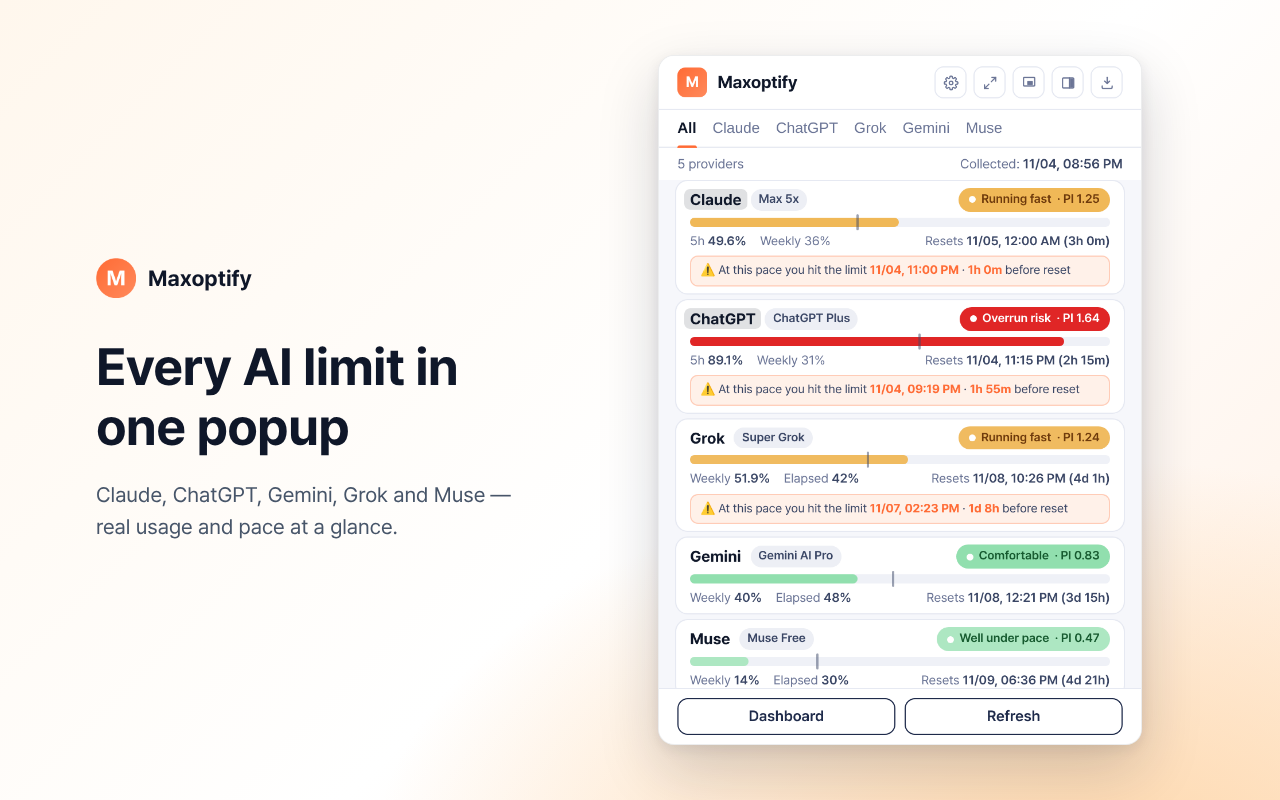
01 — Coverage
Five services, one view.
Each service shows its limits in a different place and format. Maxoptify reads them where they already appear for your signed-in account and lines them up side by side.
- 01Claude
- 02ChatGPT
- 03Gemini
- 04Grok
- 05Muse (Meta)
02 — What it does
Three things it does well.
Fewer surprises mid-task, without opening five settings pages.
See your pace, not just your percentage.
A percentage on its own doesn’t say much. 60% used is fine with two days left in the window, and a problem with two weeks left. The Pace Index compares how much you’ve used with how much of the window has passed.
Here you have used more than the time that has passed — at this rate you would reach the limit before the reset. The popup also shows a countdown to the reset and the projected usage at that point.
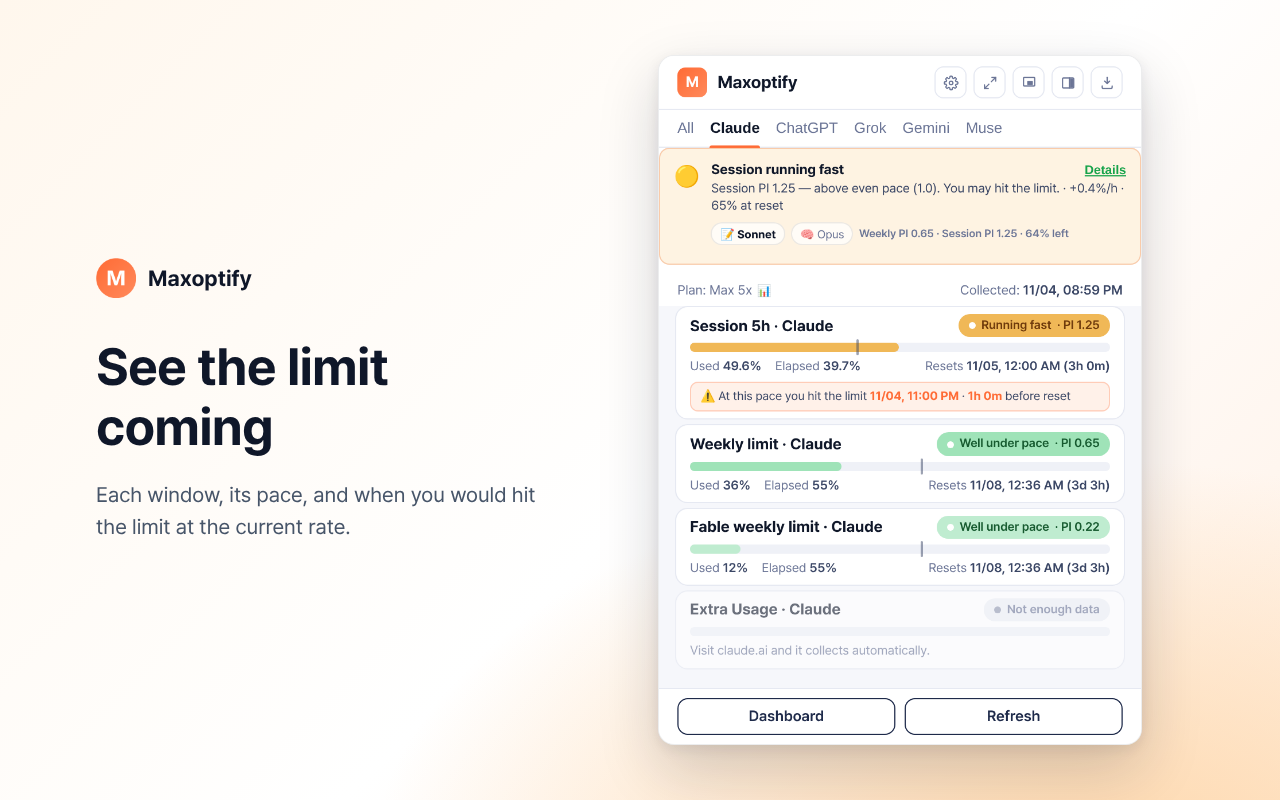
A heads-up before the wall, and when it lifts.
- Limit alert — when you are approaching a limit.
- Burst alert — when usage jumps sharply in a short time.
- Reset alert — when a window resets and you can carry on.
Checks run in the background, as often as once a minute while you’re actively using a service and never more than 30 minutes apart.
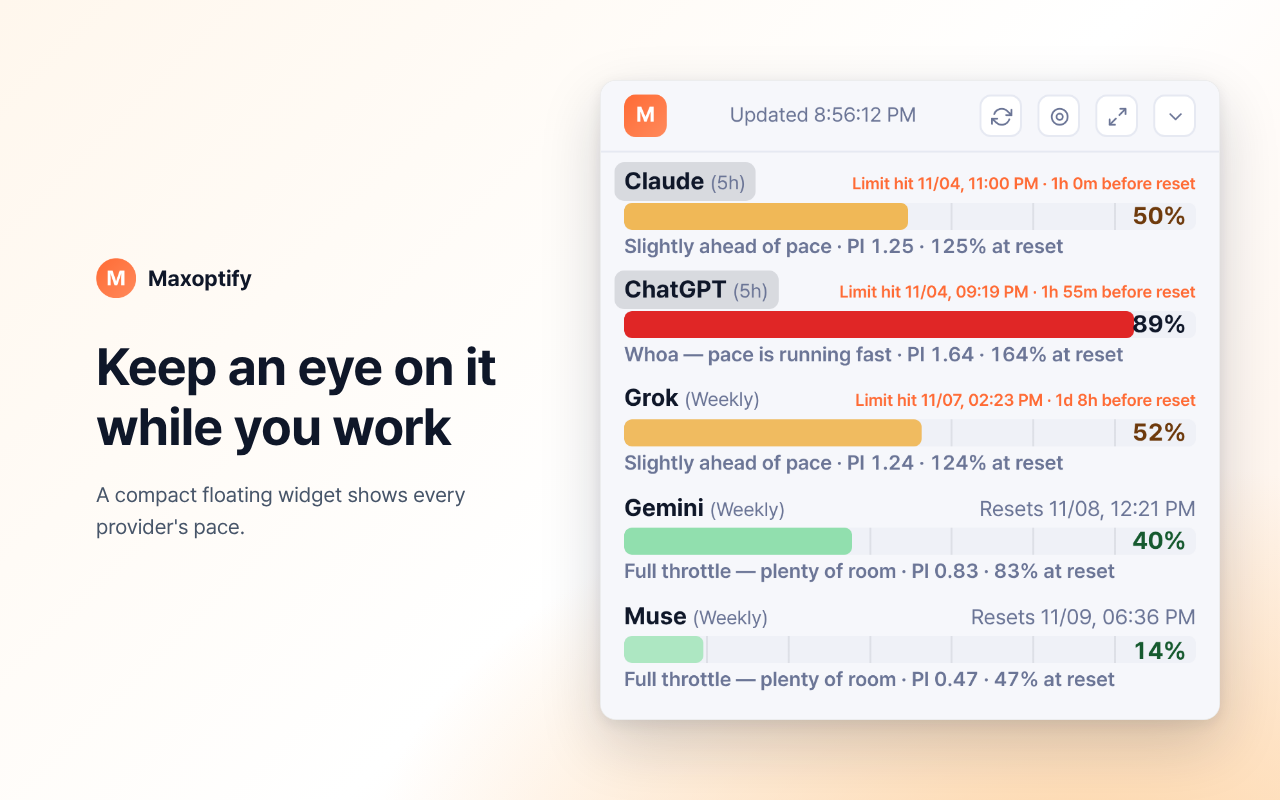
Keep it in view, or look back over time.
Pin a small floating window over your work, open the side panel next to a page, or use the dashboard to see usage history across all five services.
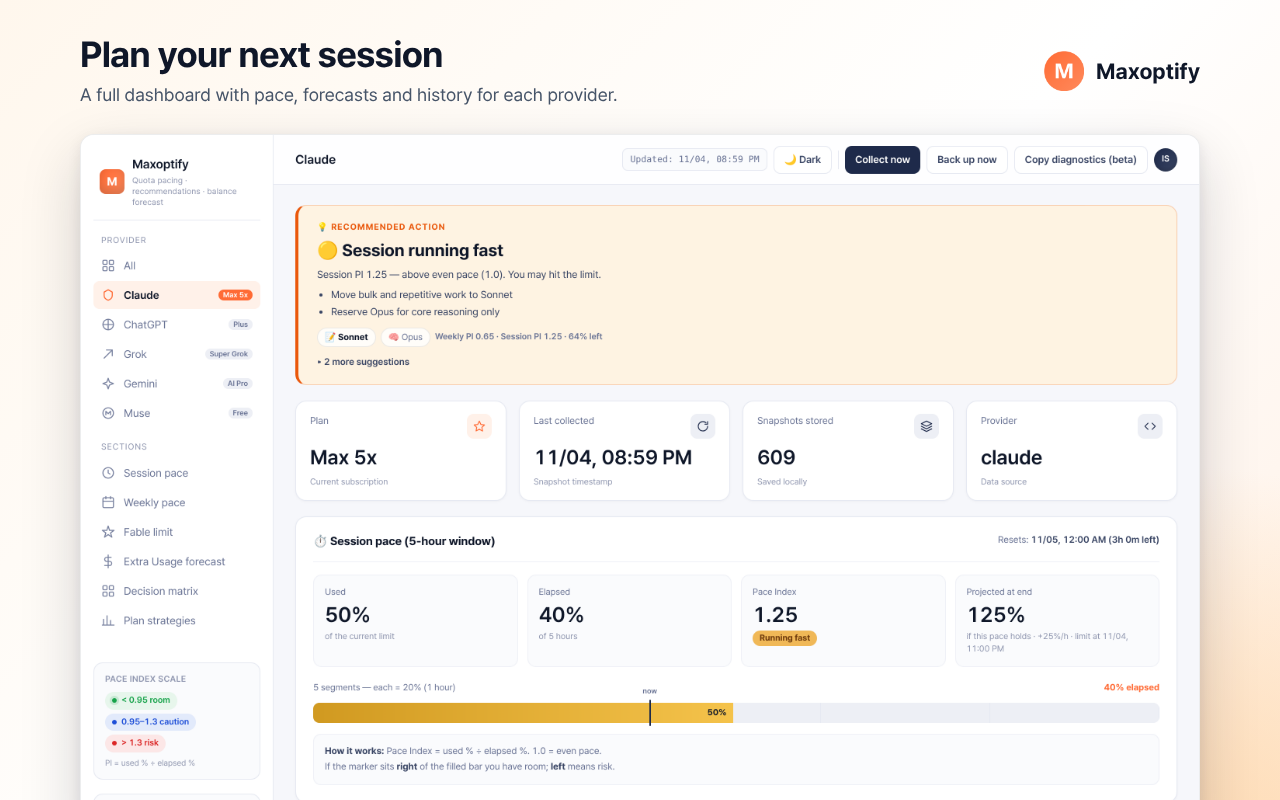
03 — Privacy
Private by design.
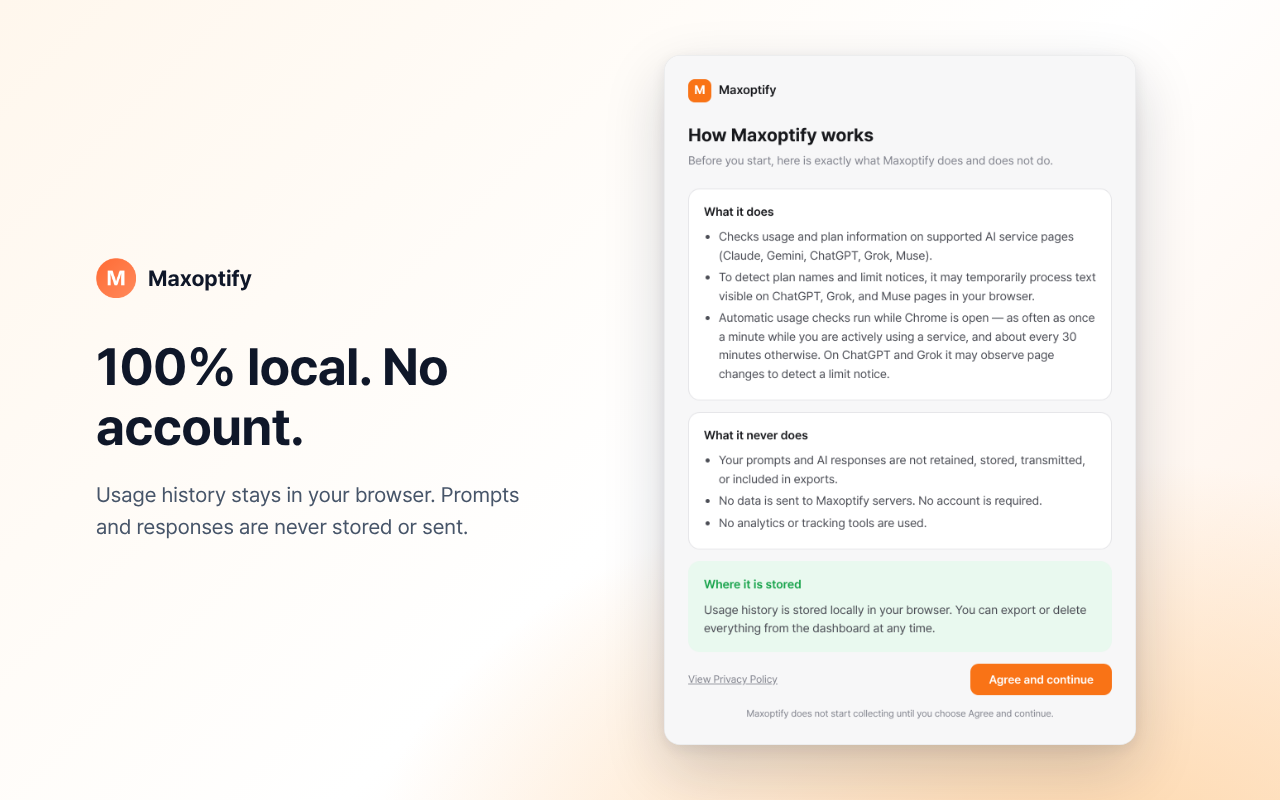
Maxoptify only needs the usage numbers each service already shows you. Everything else stays out of reach.
No account
Nothing to sign up for. You only stay signed in to your own AI sites.
No server
There is no Maxoptify server. Usage numbers are kept in your browser, on your device.
No tracking
No analytics, no trackers — in the extension or on this website.
Conversations stay private
Your conversations and prompts are never stored or sent. Only usage numbers are kept.
04 — How it works
Set up in three steps.
Install
Add Maxoptify to Chrome from the Chrome Web Store and pin it to the toolbar.
Agree
Read the short notice on what the extension reads, then choose “Agree and continue”.
Sign in to your AI sites
The “Get started” checklist walks you through it: sign in to your services, check now, allow notifications, pin to the toolbar.
05 — Questions
Common questions.
Maxoptify is free, with no paid tier. If it saves you from a mid-task cut-off, you can support development with a coffee. It changes nothing in the extension.
Buy us a coffee